The most common thing we hear from homeowners in New Cairo and Sheikh Zayed is some version of the same regret: "I wish I'd made the house smart while it was being built." The good news is that you no longer have to. A whole category of wireless systems now lets you turn a fully finished, furnished and lived-in home into a smart one — no demolition, no dust, no re-plastering. You can start with a single room or a single system and grow from there. Here is what is realistic, what to watch out for, and where wireless genuinely matches a wired system versus where it does not.
Why "without breaking walls" is now possible
A traditional wired smart home — the kind built on KNX cabling during construction — runs dedicated control wires to every switch, light and device. It is superb, but it assumes open walls. Wireless retrofit systems take a different route: instead of new cabling, they use radio protocols and devices that fit into the wiring you already have.
In practice that means smart modules tucked behind your existing switches and sockets, battery-powered sensors and keypads that stick anywhere, and a central hub that ties it all together and talks to your phone. The electrician's chisel stays in the bag. This is exactly the path we recommend for anyone who missed the construction window but still wants the experience described in our smart home guide for Egypt.
What you can retrofit wirelessly
Almost every headline feature of a smart home can be added to a finished property. The usual building blocks:
Smart lighting
Easiest win
Wireless dimmer modules behind existing switches, or smart switches that replace them — dimming, scenes and schedules with no new wiring.
Climate & AC
Comfort + savings
Smart thermostats and IR/AC controllers manage split units and central AC, with schedules and remote control from the app.
Curtains & blinds
Add-on motors
Retrofit motors and wireless controllers automate existing curtains and blinds without replacing the tracks.
Security & entry
Peace of mind
Wireless cameras, sensors, smart locks and video intercom add protection and remote access with minimal fuss.
On top of these you can add multi-room audio, leak and smoke sensors, smart plugs for appliances, and voice assistants — all joining the same hub and app. The beauty of a wireless retrofit is that you are never committed to doing everything at once; you can start with lighting this month and add climate or curtains later.
Wireless vs wired (KNX): the honest comparison
This is the question that matters most, and the honest answer is that it depends entirely on the state of your walls:
- If your home is already finished and furnished, a well-designed wireless system is the clear choice. It delivers the day-to-day experience — scenes, app and voice control, remote access, security — with none of the disruption of tearing open a lived-in home.
- If your home is under construction or being fully renovated, a wired system such as KNX is still the most robust and future-proof option. The cabling is permanent, does not depend on a wireless network, and handles large, complex homes with the greatest reliability.
Neither is "better" in the abstract — they suit different moments. The real mistake is forcing a wired system into a finished home (expensive and messy) or expecting wireless to match wired reliability in a villa that is still a shell. We walk through this trade-off, and its cost implications, in our home automation cost guide.
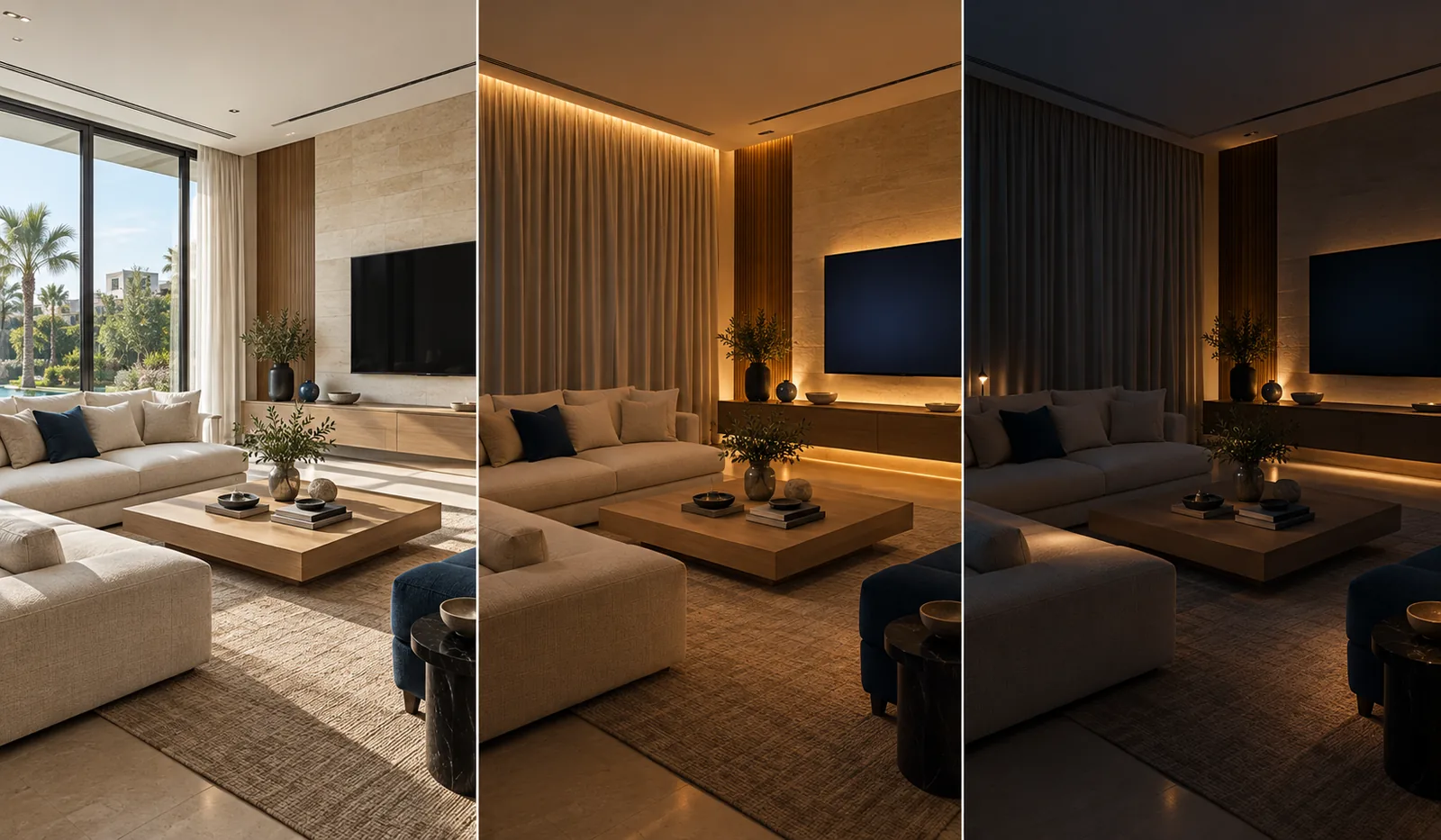
Scenes and control: the part that makes it feel smart
Retrofit or not, what turns a collection of smart devices into a smart home is control — one app, a few wall keypads and voice, running scenes that match how you live. A wireless hub lets your retrofitted lights, AC, curtains and security all respond together:
- Good Morning — curtains open, lights warm up, AC adjusts, all on a schedule.
- Leaving Home — one tap turns off lights, sets the AC back and arms the cameras.
- Movie — lights dim, curtains close and the mood is set from the sofa.
- Goodnight — the whole home powers down and locks up in a single routine.
These are the same experiences a wired home enjoys, and we cover how to design them well in our guide to smart home scenes. The key point for a retrofit is that scenes live in the hub, so they keep working even when the internet is down — you only lose remote access, not the home itself.
A finished home is not a closed door to automation — it's just a different doorway. With the right wireless design, a family can go from ordinary flat to smart home in a weekend, without moving out or lifting a tile. — Sedra Electric engineering team
The network is the foundation
Here is the single biggest truth about wireless retrofits: the system is only as good as the network beneath it. Dropouts, laggy switches and devices that "disappear" almost always come down to weak Wi-Fi or an under-planned network — not the smart devices themselves. Many quality devices use dedicated low-power radios (Zigbee or Z-Wave through a hub) rather than clogging your Wi-Fi, but the hub and app still need a solid, well-covered network. Assessing and, where needed, strengthening the home network is always the first step we take before adding wireless devices.
How to approach a retrofit the right way
- Decide what matters most — lighting, comfort, security or all of it. A retrofit lets you prioritise and phase the work.
- Check the network first — a site survey of Wi-Fi coverage and the router before any device is chosen.
- Pick one platform — a hub and ecosystem that your lighting, climate, curtains and security can all join, so control stays unified.
- Start with one room or one system — prove the experience, then expand without further disruption.
- Design the scenes around your routine — the difference between gadgets and a genuinely smart home.
Because a wireless retrofit is so much about choosing the right platform and planning it as a system, who you work with matters as much as the hardware. The questions worth asking are the same ones in our guide to choosing a smart-home company — above all, whether they'll design one coherent system rather than sell you a pile of disconnected devices.
Frequently asked questions
Can I make my apartment smart without opening the walls?
Yes. Modern wireless systems let you add smart lighting, climate control, curtains, security and whole-home control to a finished villa or apartment without chasing walls or rewiring. Wireless switches and modules fit into existing switch boxes, battery or RF devices avoid new cabling entirely, and everything is controlled from one app. It is the standard approach for a home that is already lived in.
Is a wireless smart home as good as a wired (KNX) one?
For a finished home, a well-designed wireless system delivers most of the everyday experience — app and voice control, scenes, remote access and security — with far less disruption. A fully wired system such as KNX is still the most robust and future-proof choice when a home is under construction or being renovated, because the cabling is permanent and not dependent on the network. The right answer depends on whether your walls are open.
What can I actually control in a wireless retrofit?
Typically: lighting (dimming, scenes, schedules), air conditioning and climate, curtains and blinds, door locks and video intercom, cameras and alarm, and audio — all from one app and often by voice. You can start with one room or one system, such as lighting, and expand over time, because wireless devices are added without construction work.
Does a wireless smart home need strong Wi-Fi?
A reliable network is essential. Many wireless smart-home devices use dedicated low-power protocols (such as Zigbee or Z-Wave through a hub) rather than only Wi-Fi, which keeps your internet uncluttered, but the hub and app still depend on a solid home network. Weak Wi-Fi is the most common cause of a wireless system feeling slow or unreliable, so we assess the network first.
Will I lose everything if the internet goes down?
No. A properly designed system keeps working locally — switches, keypads and scenes continue to function without the internet, and you simply lose remote access from outside the home until it returns. This is why local control and a good hub matter more than cloud features alone.